

Best 10 AI Prompts for Women’s New Instagram Trend for Girl Love Stories
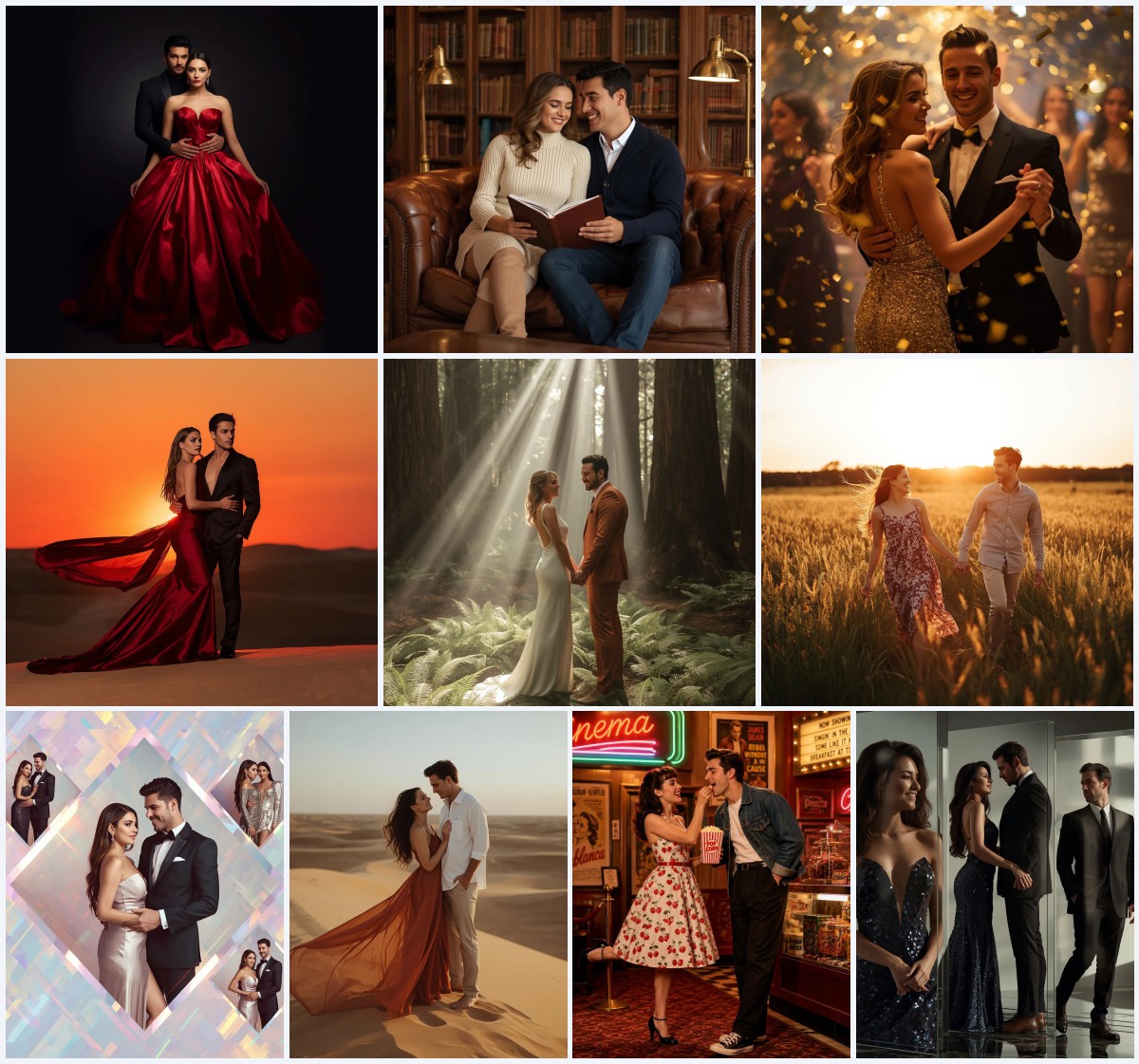
Instagram feeds are lighting up with a new visual storytelling trend that celebrates femininity, romance, and self-expression through AI-generated portraits. The 'girl love stories' aesthetic blends soft, cinematic glamour with deeply personal style moments, and this collection of ten prompts gives you the exact language to recreate that magic. Whether you envision a red-carpet icon or a free-spirited festival muse, each prompt is a doorway to a high-impact image that feels both aspirational and intimate.
What makes this set so powerful is its range. From the cloud-like drama of a feather-embellished Hollywood gown to the sun-drenched ease of a flowy bohemian maxi dress, these prompts capture distinct emotional worlds. They are designed to work with reference images for consistent facial identity, so you can place the same woman into every scene and build a cohesive, serialized narrative. This article walks you through the shared visual language, the concrete scene elements, and the practical steps to bring each look to life with popular AI tools.
What this collection of girl-love-story prompts is asking for
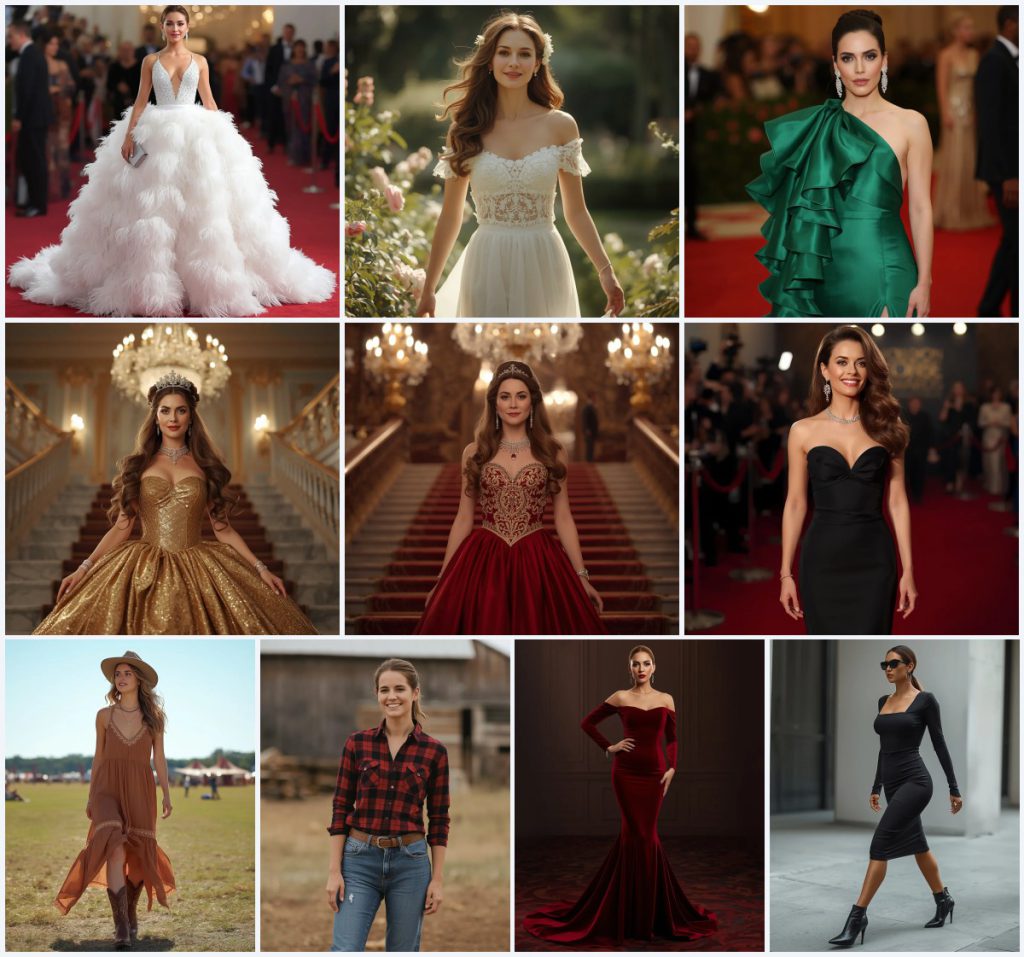
These ten prompts request ultra-realistic, cinematic portraits of a woman placed in glamorous, romantic, or adventurous settings. The collection moves between high-fashion red-carpet moments, opulent palace galas, soft garden walks, and relaxed outdoor ranch and festival scenes. Every image centers on a female subject whose facial identity, skin tone, and age are locked in via an uploaded reference photo, ensuring visual continuity across the series. The unifying thread is a celebration of confident, elegant femininity told through clothing texture, lighting, and setting.
- A woman whose facial identity, facial structure, skin tone, and age strictly match an uploaded reference image
- A white feather-embellished gown with a fitted crystal bodice and voluminous feather skirt that creates a cloud-like effect
- A deep red gown with intricate gold embroidery and beading on the bodice, worn in a lavish royal palace
- A flowing, earthy-toned maxi dress with delicate lace trim, paired with brown cowboy boots and a wide-brimmed felt hat at an outdoor festival
- A classic red and black plaid flannel shirt with distressed blue denim jeans and sturdy brown work boots on a ranch
- A sleek black bodycon midi dress with a square neckline, paired with sharp black ankle boots on a city sidewalk
The scene across these ten girl-love-story prompts
The collection builds a world of contrast and continuity. Several prompts place the subject on a red carpet or at a grand gala, with phrases like "a blurred red carpet event with soft, shimmering lights" and "a lavish ballroom" with "a sweeping marble staircase." These scenes use opulent, defocused backgrounds to push all attention onto the gown and the woman's poised expression. The lighting is consistently described as cinematic, with deep color saturation and high resolution that makes velvet, silk gazar, and sequins feel tangible.
Other prompts pull the subject into natural light and open air. One image captures her "walking gracefully amidst blooming flowers in a lush garden, bathed in soft sunlight," while another places her in "a sun-drenched field with distant festival tents and a clear blue sky." Even the ranch prompt includes "a rustic barn with a blurred open field." Across all ten, the scene is never static—she is striding, making an entrance, or enjoying a moment, which gives the collection a sense of motion and lived-in romance.
Why these prompts work for Instagram girl-love storytelling
This collection taps into the visual language of modern romantic storytelling by combining aspirational fashion with emotionally resonant settings. The prompts are built for serial posting: using the same reference face across all ten images creates a recognizable character, which is exactly the kind of cohesive narrative that performs well on Instagram. The mix of high-glamour and down-to-earth looks also mirrors the duality that audiences love—showing both the dream and the real girl behind it.
- The reference-image instruction ensures facial consistency, so the series feels like one woman's story unfolding across different chapters of her life.
- The range of settings—from Hollywood red carpets to rustic ranches—lets a creator show multiple facets of a single personality, which boosts engagement through variety.
- Each prompt names specific, tactile materials like feathers, velvet, lace, sequins, and denim, which guides the AI toward rich texture rendering that stops viewers mid-scroll.
Three artistic styles that fit this prompt collection
You can apply three distinct artistic styles to this collection without breaking the core identity of any prompt. The first is photorealistic editorial, which stays true to the existing language and delivers crisp, magazine-cover quality. The second is soft romantic cinema, where you push the ethereal and cinematic keywords harder to get dreamier light wrap and creamier bokeh. The third is painterly realism, which blends photorealism with a subtle oil-paint texture, giving the gowns and gardens a timeless fine-art feel.
- Photorealistic editorial: Keep the 8k and photorealistic tags strong, and add 'sharp focus, high-end fashion editorial' to emphasize crisp fabric detail and clean compositions.
- Soft romantic cinema: Layer in 'dreamy haze, anamorphic lens flare, soft golden-hour backlight' to wrap the subject in a warmer, more nostalgic atmosphere.
- Painterly realism: Add 'impasto texture on fabric, classical portraiture lighting, fine-art print quality' to give the sequins and lace a hand-painted depth.
How to generate these girl-love-story images step by step
Start by preparing a clear, front-facing reference photo with even lighting and a neutral expression. The prompts that include 'strictly adhering to the uploaded reference image for her facial identity' rely on this upload to maintain consistency, so choose a high-resolution headshot where the face is unobstructed. Work through one prompt at a time, and always check the output for facial accuracy and fabric rendering before moving to the next scene.
- Copy the full prompt text. Select one prompt from the collection, such as the white feather-embellished gown, and copy it exactly including all commas and keywords like 'ethereal, luxurious, iconic, photorealistic, 8k.'
- Upload your reference image. Use the image upload feature in your AI tool and attach the headshot. For prompts that explicitly mention reference adherence, make sure the upload is active before generation.
- Generate the first image. Run the prompt and review the result. Look for how well the gown texture, background blur, and lighting match the prompt's descriptive clauses.
- Check the face and hands. Zoom in on the facial identity, eyes, and hand positioning. If fingers are distorted or the face drifts from the reference, re-run with a negative prompt like 'distorted hands, mismatched face.'
- Inspect the main object. Examine the key garment—feathers, sequins, lace, or denim—for unnatural warping. If the cloud-like feather skirt looks melted, add 'pristine fabric drape' to the positive prompt.
- Repeat for the remaining prompts. Move through the collection one by one, keeping the same reference image and checking consistency in skin tone, lighting mood, and overall style across the set.
Choosing the right reference photo for these prompts
The reference photo is the anchor of this entire collection, so it needs to be technically clean and stylistically neutral. A well-lit portrait with the subject facing the camera, hair away from the face, and minimal makeup gives the AI the clearest facial map to work from. Avoid heavy shadows, filters, or accessories that could confuse the model's interpretation of your facial structure.
- Use a front-facing headshot with even, diffused lighting and a plain background so the AI can isolate facial features without distraction.
- Keep the expression soft and neutral—no wide smiles or squinting—so the serene, majestic, and confident expressions described in the prompts can be built on top.
- Ensure the image is at least 1024x1024 pixels with sharp focus on the eyes, nose, and mouth; blurry reference photos lead to inconsistent facial identity across the series.
Best AI tools for this girl-love-story prompt collection
Each major AI image generator handles these prompts differently, especially when it comes to fabric texture, reference-face adherence, and cinematic lighting. The table below compares four popular tools so you can pick the one that matches your priority—whether that is free access, maximum realism, or the most faithful facial consistency across a ten-image series.
| Tool | Access | Typical realism | Useful here for |
|---|---|---|---|
| ChatGPT | Free tier available | Good, with DALL·E integration | Quick generation of the white feather-embellished gown with strong adherence to the ethereal and cloud-like effect |
| Google Gemini | Free tier available | Moderate to good, improving with Imagen | Generating the relaxed ranch scene with plaid flannel and distressed denim, where natural light rendering is key |
| Leonardo AI | Freemium with daily credits | High, especially with cinematic models | Rendering the crimson velvet evening gown's rich texture and deep color saturation under cinematic lighting |
| Midjourney | Paid subscription | Very high, industry-leading photorealism | Producing the regal gold sequin ball gown on a sweeping marble staircase with opulent, ultra-realistic detail |
Three tips for getting the best results from these prompts
Small adjustments to your workflow can dramatically improve how these prompts render. Focus on the materials named in the collection—the AI latches onto specific texture words, so reinforcing them in your positive and negative prompts helps avoid generic outputs. Also, treat the ten images as a set from the beginning, which means locking in your seed or style parameters early.
- When generating the white feather-embellished gown, add 'individual feather strands, soft downy texture' to the positive prompt if the skirt looks like a solid mass instead of layered feathers.
- For the red and black plaid flannel shirt, include 'visible weave pattern, soft cotton flannel texture' to prevent the AI from blurring the plaid into a flat red smear.
- Use the same aspect ratio and style strength across all ten prompts so the collection looks unified when posted as an Instagram carousel.
Common issues when generating these girl-love-story images
Even well-written prompts can produce flawed outputs, especially when complex fabrics, reference faces, and multiple accessories are involved. The table below covers the most frequent failures these specific prompts trigger and how to correct them in your next generation.
| Issue | What to change |
|---|---|
| The feather skirt looks like a solid white blob | Add 'distinct feather barbs, soft separation between plumes' to the positive prompt and use 'solid mass, melted texture' in the negative prompt |
| The uploaded face doesn't match the generated subject | Increase the image weight or reference influence slider if available, and re-upload a higher-contrast reference photo with clearer facial landmarks |
| The gold embroidery on the deep red gown appears blurry | Add 'sharp metallic thread, intricate goldwork detail' and reduce any global soft-focus or bokeh strength that may be washing out the bodice |
| Hands are distorted or fingers are fused | Use negative prompts like 'extra fingers, fused digits, poorly drawn hands' and consider inpainting the hand area with a focused hand-repair workflow |
Frequently Asked Questions
Can I use the same reference photo for all ten prompts in this collection?
Yes, and that is exactly how the collection is designed to work. The prompts that include reference-image adherence are built to map your uploaded face onto different poses, hairstyles, and settings. Keep the reference photo consistent, and the AI will treat it as the same character moving through different chapters of her story.
Why does the white feather gown sometimes look like a wedding dress instead of a Hollywood gown?
The ethereal white fabric and voluminous skirt can push the AI toward bridal associations. To steer it back to red-carpet territory, add 'couture runway, editorial fashion, no veil, no bouquet' to your positive prompt and use 'wedding, bridal' in the negative prompt. The sleek silver clutch and diamond earrings already in the prompt help reinforce the Hollywood context.
How do I make the ranch and festival prompts feel like part of the same series as the ballroom ones?
Maintain a consistent color-grading style across all ten images. After generation, apply the same Lightroom preset or AI filter to unify the warmth, contrast, and saturation. The facial consistency from the reference photo will already tie them together, and the unified grading will make the jump from a lavish palace to a rustic barn feel intentional.
Conclusion
This collection of ten AI prompts gives you a complete visual toolkit for the girl-love-story trend that is dominating Instagram. By combining a consistent reference face with a spectrum of settings—from the cloud-like drama of a white feather gown to the grounded ease of a plaid ranch shirt—you can build a serialized portrait of modern femininity that feels both cinematic and personal. Work through the prompts methodically, lean on the texture-rich language that defines each scene, and use the troubleshooting tips to refine every feather, sequin, and lace edge. The result is a cohesive, scroll-stopping series that tells one woman's story across ten unforgettable frames.
Before you post, open your favorite generated image in an editor you have the right to use and fine-tune the white balance or crop for your grid—small tweaks make the difference between a good render and a great post.