

Best 10 Anime AI Prompts for Men’s Dynamic Manga-Inspired Characters and Scenes
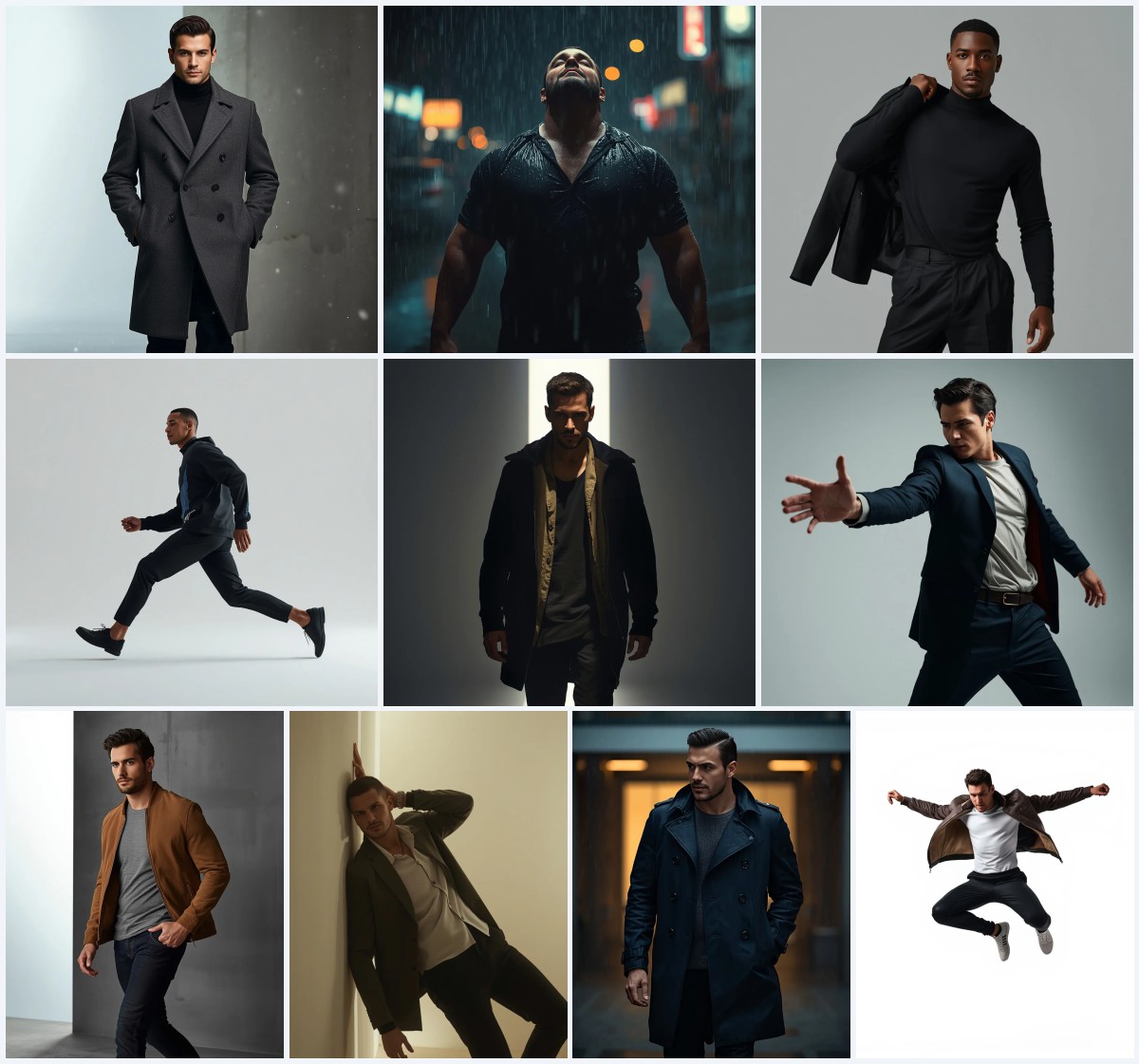
Anime-inspired AI prompts for men’s portraits have evolved far beyond simple cartoon figures. Today’s generators can blend manga dynamism with photorealistic textures, creating powerful, cinematic images that feel both stylized and grounded. The collection “Best 10 Anime AI Prompts for Men’s Dynamic Manga-Inspired Characters and Scenes” on New Prompts brings together ten distinct prompts, each designed to produce a different facet of masculine presence—from rugged outdoor solitude to sleek urban sophistication.
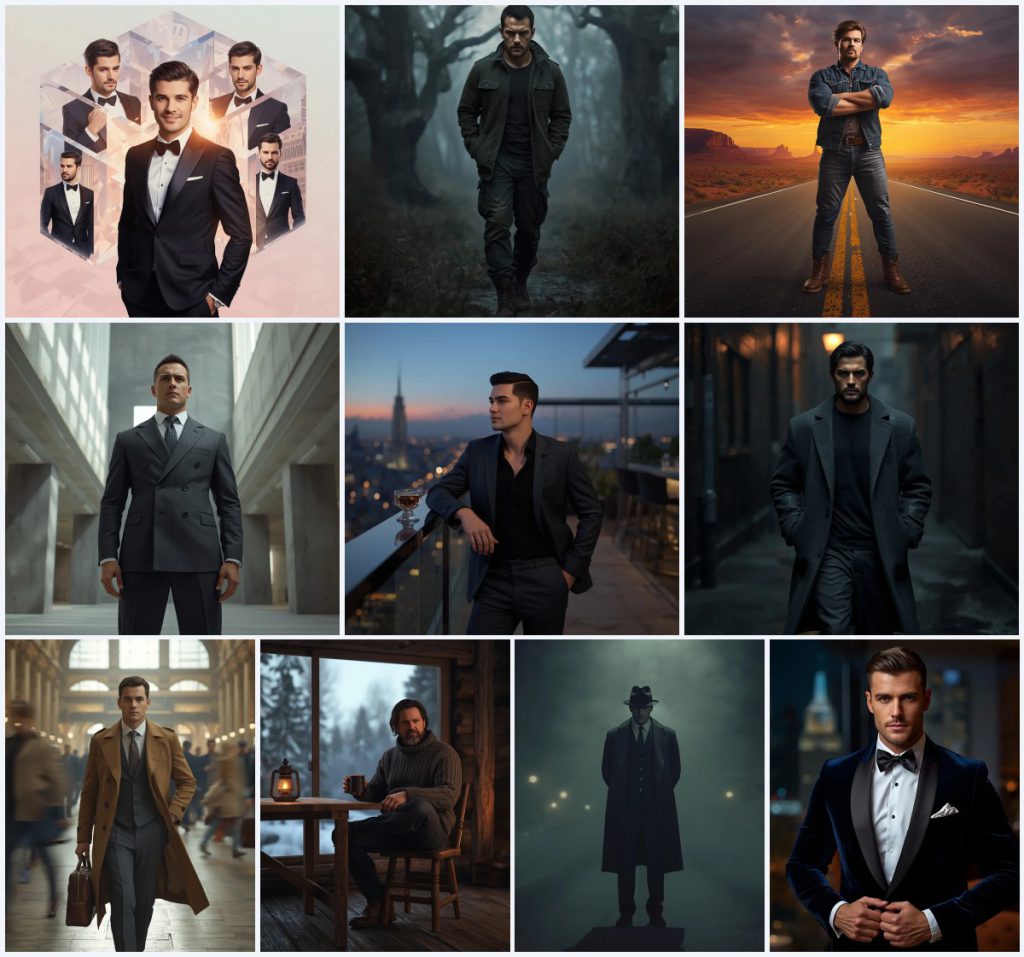
What makes this set stand out is its range. You get a geometric crystal grid collage, a misty forest walk, a deserted highway at sunset, a brutalist museum lobby, a rooftop bar at dusk, a rainy neon alley, a bustling train station, a snowy cabin retreat, a foggy film-noir street, and a velvet-blazer penthouse portrait. Every scene is crafted to push AI image generators toward high detail, dramatic lighting, and a strong emotional core, giving you a versatile toolkit for social media, concept art, or personal projects.
What this collection of anime-inspired men’s prompts is asking for
These ten prompts collectively ask AI to render male figures with manga-like intensity and photorealistic finish. Each prompt specifies a full-body or portrait composition, a distinct environment, and a mood that ranges from determined to mysterious. The shared goal is a dynamic, emotionally charged image where the man’s posture, clothing, and surroundings work together to tell a story.
- A handsome man in multiple high-end tuxedos inside a geometric, isometric crystal city grid with luminous, cinematic lighting.
- A powerful man in a heavy dark olive utility jacket walking through a dense, misty forest at dawn with low-key lighting.
- A rugged man in a denim jacket standing on a deserted highway at sunset with golden hour lighting and red desert rock formations.
- A powerful executive in a charcoal grey double-breasted suit inside a minimalist brutalist museum lobby with diffused stark lighting.
- A sophisticated man in a dark grey tailored blazer leaning against a glass railing at a rooftop bar at dusk with ambient twilight lighting.
- A mysterious man in a long dark wool overcoat and fedora on a foggy city street at night with film-noir low-key lighting.
How the scene builds drama across these anime-inspired prompts
Each prompt in this collection constructs a mini-narrative through setting and atmosphere. For instance, the misty forest prompt places the subject in “a dense, misty forest at dawn” with “ancient trees shrouded in mist,” using “cinematic, low-key lighting” to emphasize solitary strength. The environment isn’t just a backdrop; it actively shapes the character’s mood, making the damp forest floor and dappled light feel like extensions of his determination.
Similarly, the deserted highway prompt uses “a vast, empty desert at sunset” with “dramatic expanse of red desert rock formations” and “breathtaking orange and purple sunset.” The man’s “arms crossed” and “gaze fixed on the endless horizon” turn the landscape into a symbol of resilience. Across the set, scenes like the “rain-slicked urban alley at night” with “glowing puddles reflecting neon” and the “foggy city night” with “soft blur of glowing streetlights” show how weather and time of day are used to amplify emotional weight.
Why this collection works for dynamic men’s portraits
This prompt set succeeds because it combines anime-inspired dynamism with photorealistic rendering, giving each image a cinematic quality that feels both aspirational and relatable. The variety of settings—from urban rooftops to remote cabins—lets you explore different facets of masculine identity, while the consistent focus on lighting and composition ensures professional-looking results across different AI tools.
- The prompts balance stylized manga energy with photorealistic textures, making them ideal for social media posts that need to stand out with a polished yet artistic look.
- Each scene is self-contained and emotionally clear, so even a single generated image can tell a complete story, perfect for branding or concept art.
- The detailed clothing and environment descriptions give AI generators enough guidance to avoid generic outputs, resulting in unique, high-quality portraits every time.
Three visual styles you can pull from these prompts
Although this collection spans ten distinct scenes, three core visual styles emerge that you can emphasize when generating images. Each style stays within the boundaries of these prompts, letting you shift the aesthetic without rewriting the core idea.
- Cinematic Realism: Lean into the photorealistic rendering and 8K resolution mentioned across prompts to get images that look like stills from a high-budget film, with natural skin textures and dramatic lighting.
- Manga-Inspired Dynamism: Exaggerate the confident poses and intense gazes, using the prompts' inherent anime energy to create images with bold outlines, vivid contrasts, and a sense of motion.
- Architectural Minimalism: Focus on the geometric crystal grid, brutalist museum, and train station prompts to produce compositions where strong structural lines and negative space frame the subject with graphic precision.
How to generate these anime men’s portraits step by step
Turning these prompts into striking images is straightforward if you follow a clear process. Each step helps you maintain quality and avoid common AI generation pitfalls.
- Copy the prompt exactly. Select one prompt from the collection, such as the misty forest or rooftop bar, and copy its full text to preserve every lighting and clothing detail.
- Upload a reference photo. If your AI tool supports image input, upload a photo of a man in a similar pose or outfit to guide the generator toward realistic proportions and styling.
- Generate the initial image. Paste the prompt into your chosen AI image generator and run it at the highest available resolution to capture the 8K detail described in the prompts.
- Check the hands and face. Inspect the output for distorted fingers, asymmetrical eyes, or unnatural expressions, as these are common issues in full-body and portrait renders.
- Check the main object. Verify that key elements like the tuxedo, denim jacket, or velvet blazer appear correctly, and that background details such as the crystal grid or desert formations match the prompt.
- Refine with inpainting or variations. Use your tool’s editing features to fix small errors or generate variations until the image meets your quality standards.
Using a reference photo to strengthen these anime-inspired portraits
A well-chosen reference photo can dramatically improve the realism and pose accuracy of your generated images. Since these prompts describe specific stances and expressions, feeding the AI a visual starting point helps it interpret the text more faithfully.
- Choose a reference where the man’s posture matches the prompt—for example, a photo of someone walking with hands in pockets for the misty forest or rainy alley scenes.
- Make sure the reference has similar lighting direction, such as side-lit or golden hour, to help the AI blend the subject naturally into the described environment.
- Use a photo you have the right to edit, ensuring the final generated image is free of copyright concerns for personal or commercial use.
AI tools for generating these dynamic men’s prompts
Different AI image generators handle photorealistic and anime-inspired styles with varying strengths. The table below compares four popular tools based on how well they can execute details from this collection.
| Tool | Access | Typical realism | Useful here for |
|---|---|---|---|
| ChatGPT | Subscription | Moderate to high | Rendering the navy blue velvet blazer’s soft texture in the penthouse portrait |
| Google Gemini | Free tier available | Moderate | Capturing the dramatic orange and purple sunset on the deserted highway |
| Leonardo AI | Freemium | High | Producing the luminous cinematic lighting of the geometric crystal grid collage |
| Midjourney | Subscription | Very high | Creating the moody, film-noir atmosphere of the foggy city night with diffused streetlights |
Three tips for getting the best results from these prompts
Small adjustments to your workflow can make a big difference when working with this collection. These tips focus on real materials and objects named in the prompts to help you achieve the intended look.
- Emphasize the heavy, dark olive utility jacket and worn boots in the misty forest prompt by adding weight to fabric keywords like “thick canvas” if your tool allows prompt editing.
- For the rooftop bar scene, describe the classic cocktail glass in more detail—such as “crystal-cut tumbler with amber liquid”—to enhance the luxurious, urbane atmosphere.
- When generating the rainy urban alley, highlight the wet brick walls and neon reflections by adding “glossy surfaces” to your negative prompt if the output looks too dry or matte.
Common issues when generating these anime men’s portraits
Even with detailed prompts, AI image generators can stumble on certain elements. The table below outlines typical failures and practical fixes for this collection.
| Issue | What to change |
|---|---|
| Facial features appear too smooth or plastic | Add “skin texture, pores, subtle stubble” to the prompt or increase the photorealism weight in your tool’s settings. |
| The crystal grid collage looks cluttered or loses the isometric perspective | Simplify by reducing the number of poses or adding “clean geometric lines, minimal structural elements” to guide the composition. |
| The foggy night scene loses the fedora or renders it as a blob | Specify “wide-brim fedora with defined shape” and use a reference photo that includes a similar hat to anchor the detail. |
| Lighting in the brutalist museum scene appears flat instead of stark and sculptural | Increase contrast keywords like “harsh shafts of natural light, deep shadows” and reduce ambient light settings if available. |
Frequently Asked Questions
Can I mix elements from different prompts in this collection?
Yes, you can combine details like the geometric crystal grid background with the navy blue velvet blazer portrait, but you may need to adjust the lighting description to maintain visual coherence.
Do these prompts work for non-photorealistic anime styles?
Absolutely. While the prompts specify photorealistic rendering, you can remove those keywords and add terms like “cel-shaded, manga line art” to shift toward a traditional anime look.
Why does the deserted highway prompt sometimes place the man off-center?
AI generators may interpret “solitary pose” as off-center framing. To fix this, add “centered composition” or crop the image after generation to achieve the desired balance.
Conclusion
The “Best 10 Anime AI Prompts for Men’s Dynamic Manga-Inspired Characters and Scenes” collection on New Prompts offers a rich playground for anyone looking to create powerful, cinematic male portraits. From foggy film-noir streets to sun-drenched desert highways, each prompt combines detailed clothing, atmospheric lighting, and emotionally charged poses to push AI image generators toward stunning results. By following the steps, applying the tips, and using the right tools, you can produce images that capture both the dynamism of manga and the polish of high-end photography. Whether you are building a social media presence, developing concept art, or simply experimenting with AI creativity, this set gives you ten distinct starting points to explore and refine.
Remember to use a reference photo you have the right to edit, so your final generated image stays clear of any copyright issues.