

New 10 Saree for Dancers AI Prompts for Graceful Movement and Artistry
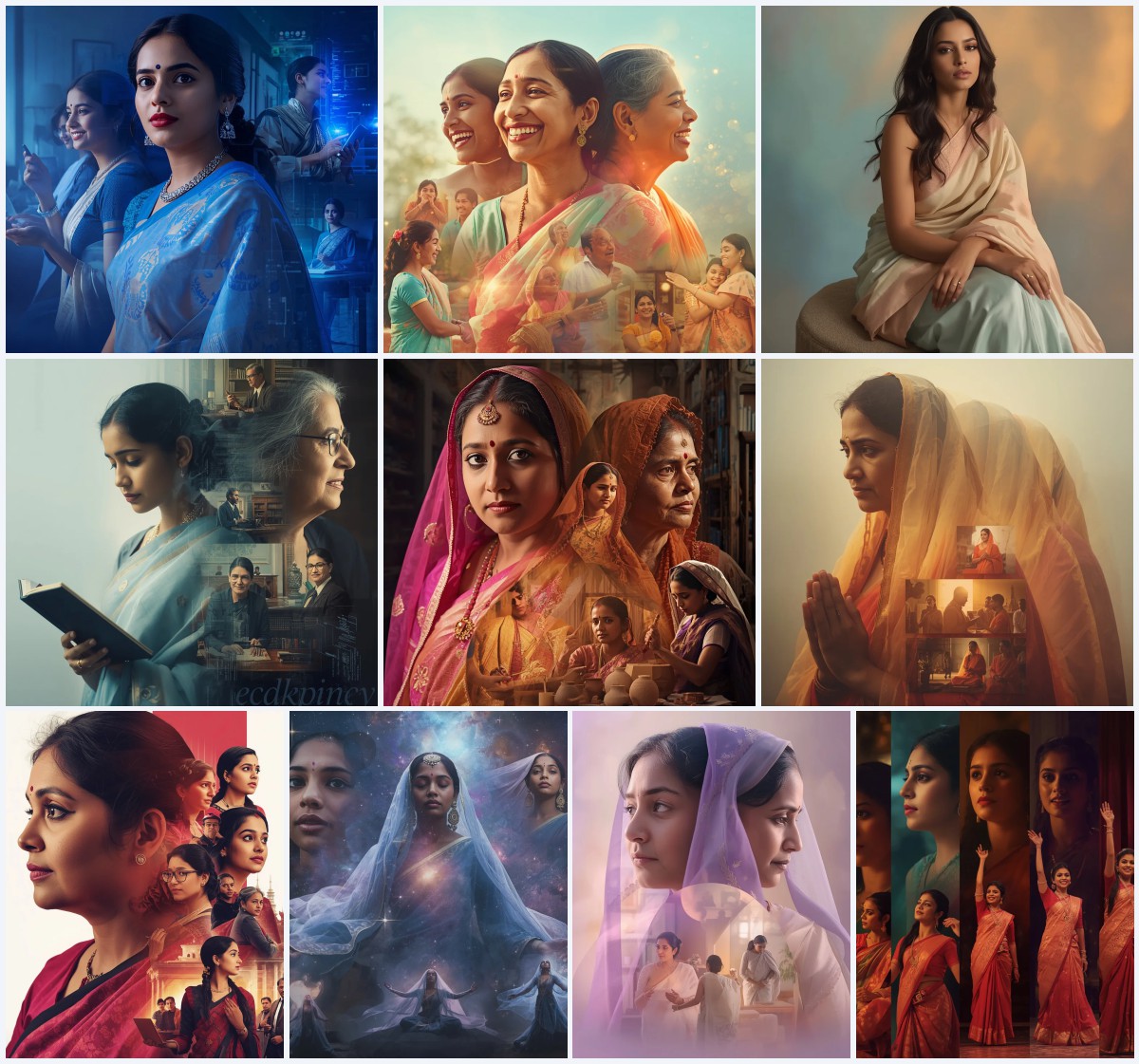
Dance and drape come together in this collection of ten AI image prompts, each celebrating the beauty of a saree in motion. Designed for creators who want to capture fluid poses, expressive moods, and rich textures, these prompts span editorial edge, classical poise, and festive joy.
The set moves through distinct visual worlds—molten palladium collages, ancient Greek ruins, Ottoman domes, and soft pastel gardens—while keeping the saree as the central thread. Whether you need a high-fashion silhouette or a candid twirl, the prompts offer a range of graceful movement and artistic framing.
What this saree-for-dancers collection is asking for
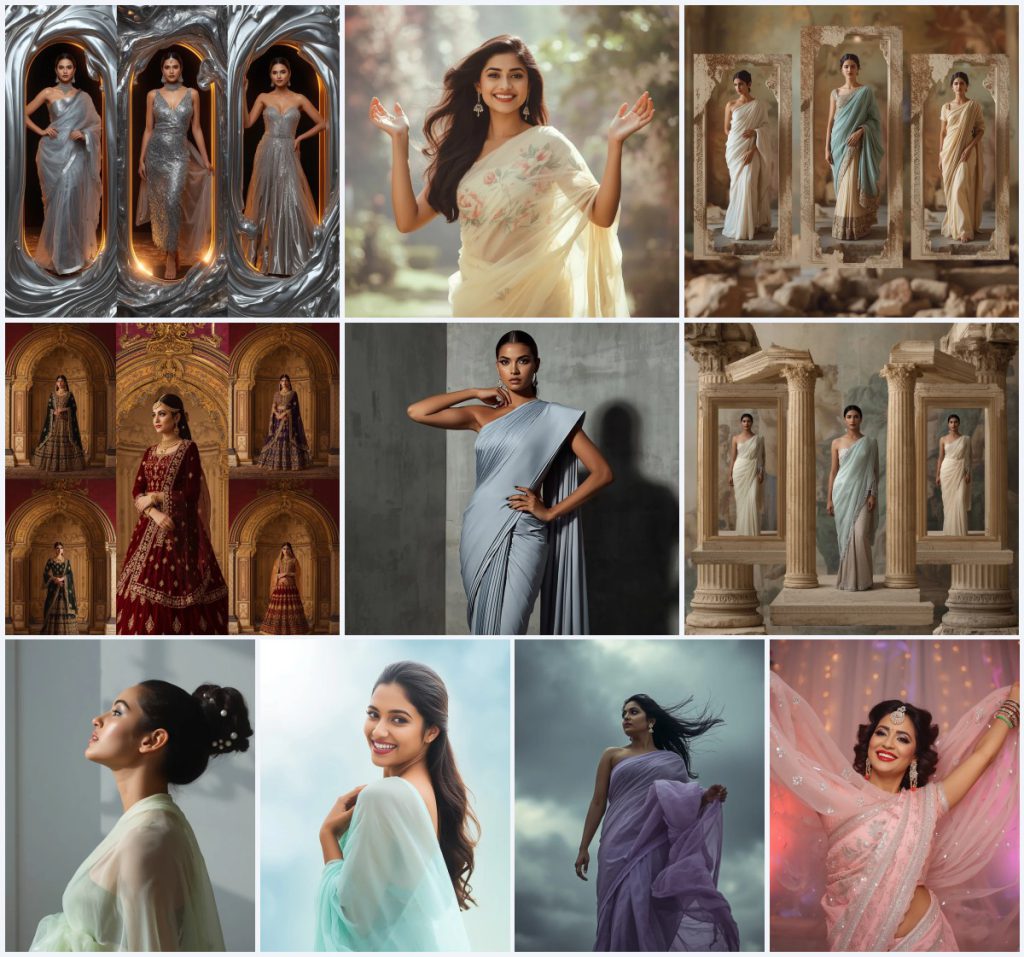
This collection calls for AI-generated images of Indian women in sarees and festive fusion outfits, captured in poses that suggest dance, sway, or powerful stillness. Every prompt pairs a specific fabric and color palette with a mood, from playful elegance to cinematic drama. The settings are as varied as the garments—collages built from molten metal or ancient columns, minimalist concrete walls, stormy skies, and blurred garden backdrops. The common thread is a focus on movement, whether literal twirling or the implied motion of sculptural draping and wind-swept hair.
- Saree fabrics like georgette, chiffon, organza, net, and tissue with specific pastel or metallic hues
- Poses that include gentle sway, mid-twirl, confident stance with hand on hip, or arms raised gracefully
- Facial expressions ranging from a genuine smile and sparkling eyes to intense, commanding gazes
- Hairstyles such as sculptural updos with pearl pins, sleek low ponytails, and wind-swept dark waves
- Lighting described as harsh silver glows, soft dappled sunlight, dramatic shadows, or warm festive illumination
- Backgrounds that are abstract voids, blurred ethereal gardens, stark concrete walls, stormy skies, or ornate palace interiors
The visual world these prompts build
The collection shifts between collage-based fantasy and single-scene portraiture. In the collage prompts, an Indian woman appears inside multiple frames composed of unexpected materials. One prompt describes “a dramatic molten palladium liquid metal collage” where “swirling, incandescent liquid palladium and glowing molten textures” frame a silver tissue saree and a platinum fusion gown, while another uses “weathered statue fragments and ancient temple debris” to hold flowing white chiffon and pastel blue lehengas. These layered compositions give the sense of a dancer moving through time and material.
The single-scene prompts are more intimate. A pastel butter-yellow georgette saree is caught in “a gentle sway, as if dancing to an unheard melody,” with “soft, dappled sunlight” in a blurred garden. A pastel lilac chiffon saree becomes dramatic when “the fabric dramatically billowing around her in the wind” against a stormy sky. The high-fashion editorial shot places a structured pastel grey saree with “architectural pleats” against a “stark, minimalist concrete wall with dramatic shadows.” Each scene uses lighting and setting to amplify the sense of motion and emotion.
Why this collection works for graceful movement imagery
These prompts succeed because they treat the saree as an active element in the composition rather than a static costume. The fabric’s drape, weight, and reflectivity are written into the movement, whether it’s the soft sway of georgette or the sharp pleats of a structured drape. The variety of moods—joyful, regal, introspective, defiant—gives creators a full emotional range to explore, while the detailed material descriptions help AI render textures accurately. The collection also balances experimental collage formats with classic portraiture, making it useful for both fine-art outputs and lifestyle branding.
- Fabric motion is central: prompts specify billowing, swaying, twirling, and fanned-out drapes so the AI prioritizes fluidity
- Lighting and background contrast create mood quickly—harsh silver on dark voids, soft pastel gradients, or dramatic storm light
- Pose and expression are tightly linked, with every prompt pairing a physical stance with a named emotional state like confident radiance or cinematic intensity
Three artistic styles you can pull from this collection
The prompts support three distinct visual styles while staying within the saree-and-movement theme. The first is a metallic high-drama collage style, seen in the molten palladium and Ottoman dome pieces, where reflective surfaces and ornate framing create a luxurious, almost sculptural look. The second is a soft, ethereal editorial style, found in the pastel garden and aqua blue shots, emphasizing natural light, dewy skin, and gentle motion. The third is a stark, architectural fashion style, exemplified by the structured grey saree and the sculptural updo profile, where geometric lines and sharp shadows take center stage.
- Metallic collage drama: Use the molten palladium or Ottoman dome prompts to get frames made of liquid metal or ornate architecture, with heavy embroidery and jewel tones catching warm light.
- Soft ethereal pastels: Choose the butter-yellow georgette sway or aqua blue chiffon smile for blurred gardens, dappled sunlight, and a light, airy feel that reads as romantic and joyful.
- Architectural fashion edge: Work with the structured pastel grey saree or the mint green organza profile to emphasize sharp pleats, sleek hair, and dramatic shadow play on minimalist backgrounds.
How to generate these dancer saree images step by step
Start by copying the exact prompt text from the collection into your chosen AI image tool. If the prompt references a collage, make sure your tool supports multi-frame or layout-based generation; otherwise, you may need to generate individual panels and composite them later. Upload a reference photo if the tool allows, especially one that shows the desired pose, fabric drape, or lighting ratio. After generating, inspect the hands, face, and the saree’s main focal area—pleats, pallu, or embroidery—for distortions. Regenerate with a slightly adjusted prompt if fingers merge or facial symmetry breaks. Finally, upscale the best output and apply light post-processing for color grading or sharpening.
- Copy the prompt. Select one prompt from the collection, such as the festive twirl in embroidered pastel pink net, and copy its full text.
- Upload a reference. Add a reference image showing a similar saree drape, hand gesture, or lighting setup to guide the AI’s proportions and fabric behavior.
- Generate the image. Run the prompt in your AI tool at a resolution that captures fine details like sequins, pearl pins, or molten metal reflections.
- Check the hands. Examine fingers and hand poses—especially fanned-out hands or clasped fingers—for extra digits or unnatural bending.
- Check the face. Look at eye alignment, smile symmetry, and makeup details like winged eyeliner or glitter eyeshadow, regenerating if the expression looks uncanny.
- Check the saree. Verify that pleats, embroidery, and pallu draping follow the described fabric logic without morphing into skin or background elements.
Choosing the right reference photo for these prompts
A well-chosen reference photo can anchor the AI’s output in realistic human proportions and fabric physics. Since these prompts involve specific poses and fabric types, your reference should match the core action—swaying, twirling, or a confident contrapposto stance—and the general lighting direction. You don’t need the exact saree; a plain drape with similar weight will help the AI understand how fabric falls and folds.
- Pick a photo where the model’s pose matches the prompt’s action, such as one arm raised for a twirl or a hand on the hip for the structured editorial look.
- Choose a reference with similar lighting—harsh side light for the concrete-wall shot, soft diffused light for the garden scenes, or warm directional light for festive setups.
- Ensure the reference shows a fabric with comparable drape, like chiffon for billowing effects or organza for voluminous pleats, so the AI interprets the material correctly.
AI tools that handle these saree dancer prompts well
Different AI image generators interpret fabric, lighting, and collage layouts with varying levels of realism. The table below compares four popular tools based on how they handle the specific demands of this collection, such as metallic reflections, pastel translucency, and multi-frame compositions. Each tool has strengths that align with particular prompts in the set.
| Tool | Access | Typical realism | Useful here for |
|---|---|---|---|
| ChatGPT | Subscription-based, integrated with DALL·E | Good conceptual realism, can struggle with fine fabric textures | Generating the pastel garden sway or aqua blue smile where mood and expression matter more than extreme texture detail |
| Google Gemini | Available through Google AI, some free tier | Moderate realism, strong at following descriptive scene instructions | Building the ancient Greek column or statue fragment collages with aged textures and soft diffused colors |
| Leonardo AI | Freemium with daily credits, web-based | High realism, excellent at cinematic lighting and fabric rendering | Creating the stormy sky shot with billowing pastel lilac chiffon or the high-fashion concrete-wall editorial |
| Midjourney | Paid subscription via Discord | Very high realism, strong at atmospheric lighting and material reflection | Rendering the molten palladium collage with swirling liquid metal and the shimmering silver tissue saree |
Three practical tips for better dancer saree images
Small adjustments to how you use these prompts can dramatically improve your results. Focus on the materials the prompt names, and treat them as anchor points for the AI’s attention. If the output feels static, reinforce the motion words in a negative prompt or by slightly rewording the pose description. Finally, use the background to sell the mood—a blurred garden won’t work if the AI renders it in sharp focus, so specify depth of field if your tool supports it.
- Emphasize the saree fabric by name: if the prompt says “georgette,” add a style note like “soft, lightweight georgette with subtle crinkle texture” to guide the AI’s material rendering.
- Reinforce motion with props or environment: for the twirling embroidered pastel pink net saree, mention the fairy lights in the negative prompt only if they distract, and instead ask for “motion blur on the saree edges.”
- Use the sculptural hair details as a focal test: if the mint green organza prompt gives you flat hair, add “intricate sculptural updo with visible pearl pins” to the positive prompt and reduce weight on generic hairstyles.
Common issues with these prompts and how to fix them
Even well-crafted prompts can produce flawed outputs. The table below lists four recurring problems you might encounter when generating images from this collection, along with the specific change to make in your prompt or settings. These fixes address the most typical AI rendering failures for fabric, anatomy, and composition.
| Issue | What to change |
|---|---|
| Molten palladium frames look like flat grey blobs instead of reflective liquid metal | Add “sharp specular highlights, mirror-like reflections, fluid metallic swirls” and increase contrast in the prompt |
| Twirling saree pleats merge into a single solid mass without visible folds | Specify “individually defined pleats with visible edges, fabric separation, and subtle motion blur” |
| Facial expression in the confident radiance shot appears frozen or unnatural | Replace “broad, genuine smile” with “soft, natural smile reaching the eyes, relaxed facial muscles” |
| Collage layouts ignore the separate frames and blend all outfits into one scene | Use a tool that supports layout control, or add “three distinct framed panels, each containing one outfit, clean borders between frames” |
Frequently Asked Questions
Can I use these prompts to generate images of non-Indian women in sarees?
The prompts specifically describe Indian women, and changing the ethnicity may alter how the AI interprets facial features, skin tone, and cultural styling details like hair adornments. If you need a different subject, modify the descriptor while keeping the saree, pose, and lighting details intact to preserve the graceful movement aesthetic.
Which prompt works best for a high-fashion portfolio piece?
The high-fashion editorial shot with the structured pastel grey saree and architectural pleats is the strongest choice. Its minimalist concrete background, sharp winged eyeliner, and sleek low ponytail create a cutting-edge look that suits fashion portfolios and editorial spreads.
How do I get the molten palladium collage to show all three outfits clearly?
Use a tool that supports multi-panel or layout-guided generation, such as Midjourney with panning or Leonardo AI with canvas control. You can also generate each outfit separately and composite them into a single collage using photo editing software, matching the “swirling molten textures” as a unifying frame element.
Conclusion
This collection of ten saree-for-dancers AI prompts gives you a wide creative palette, from liquid-metal opulence to soft garden romance. By matching the right tool to each prompt’s demands and paying close attention to fabric, pose, and lighting details, you can produce images that feel both culturally rich and visually striking. The variety of moods and settings means there’s a starting point for every project, whether you’re building a fashion series, a dance portfolio, or experimental art.
Once you have your generated image, feel free to edit it further in your preferred software, ensuring you have the right to modify the photo you use as a base.