

Top 10 Ultra Realistic Photo AI Prompts for DSLR Quality Cinematic Portraits of Global Citizens
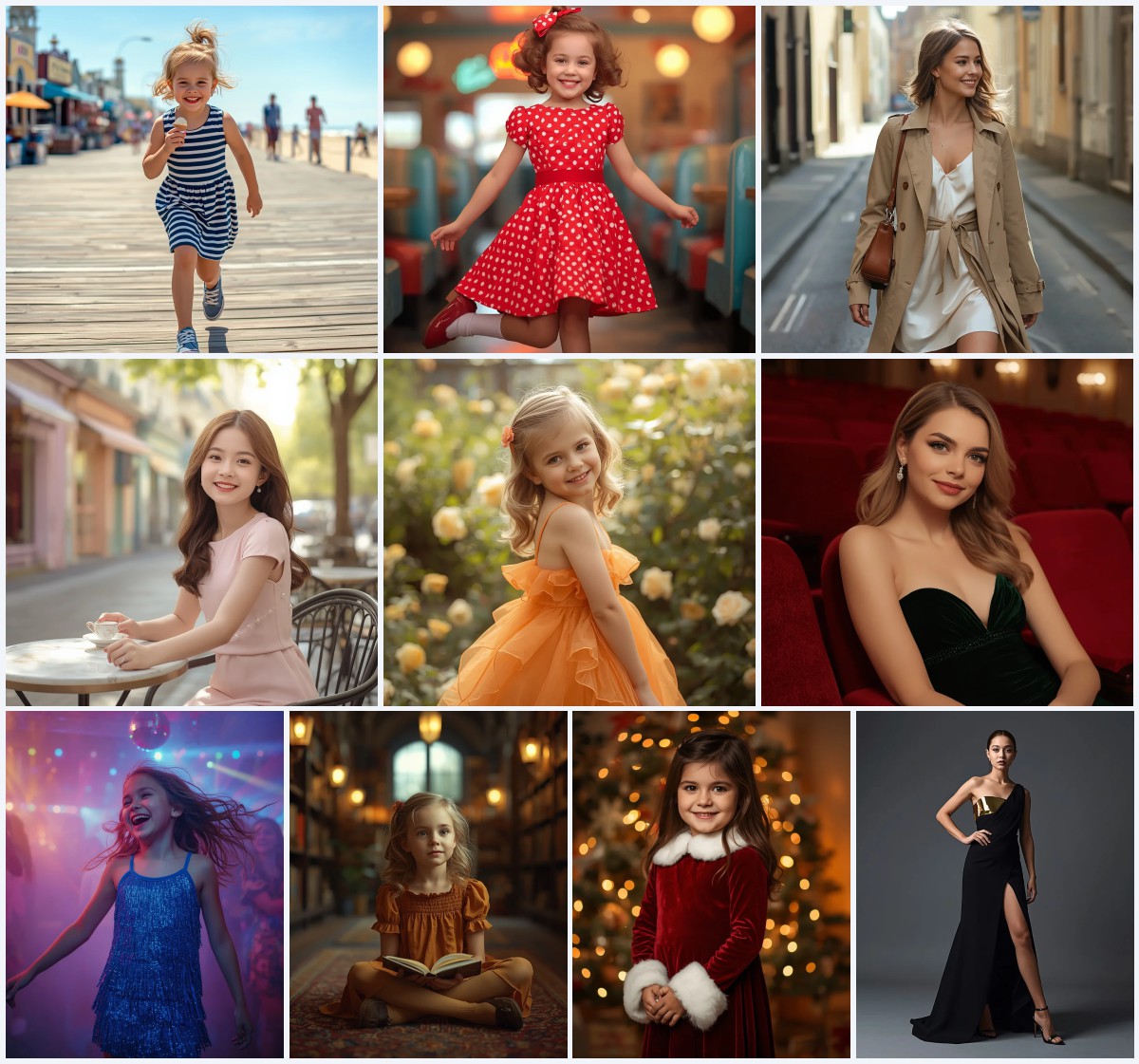
This collection brings together ten meticulously crafted AI image prompts, each designed to produce stunning, DSLR-quality cinematic portraits. From high-fashion runways to serene beach weddings, these prompts celebrate global elegance with ultra-realistic fabric textures, dynamic poses, and breathtaking lighting. They are perfect for anyone seeking to generate premium, lifelike fashion imagery without needing a physical photoshoot.
Every prompt in this set focuses on photorealistic detail, often specified with an 85mm lens and 8k resolution to mimic professional photography. Whether you're drawn to the soft romance of a pastel ruffle gown or the bold drama of a metallic fringe dress, these prompts offer a diverse palette of styles, settings, and moods. They are ready to copy, paste, and bring to life in your favorite AI image generator.
What this collection of cinematic portrait prompts is asking for
This curated set of ten prompts directs AI to generate ultra-realistic, high-fashion portraits of diverse models in luxurious attire. Each prompt specifies a full-body or close-up shot, emphasizing photorealistic skin, intricate fabric details, and cinematic lighting. The scenes range from minimalist terraces and glasshouses to dark runways and futuristic atriums, all unified by a premium, editorial aesthetic.
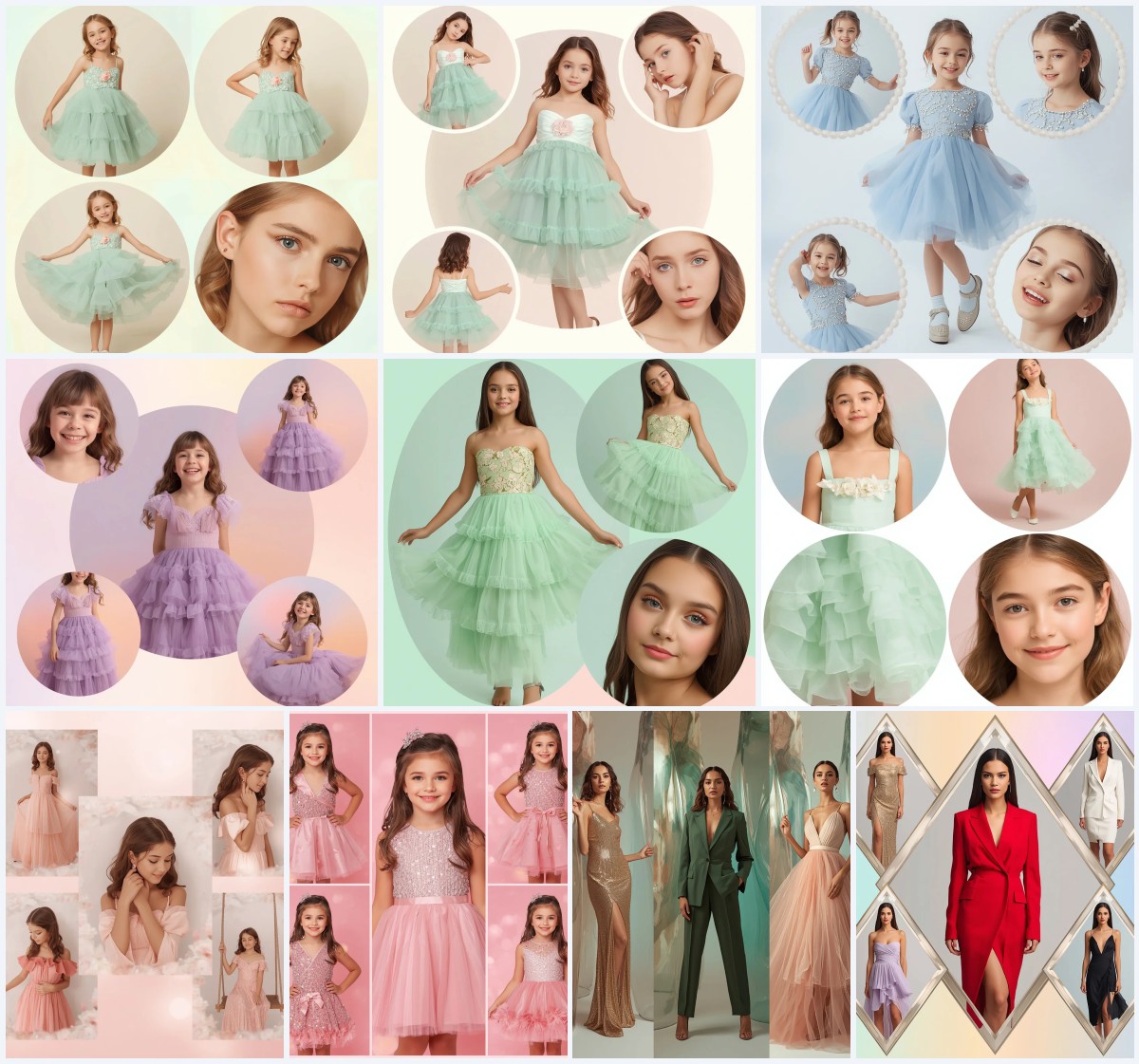
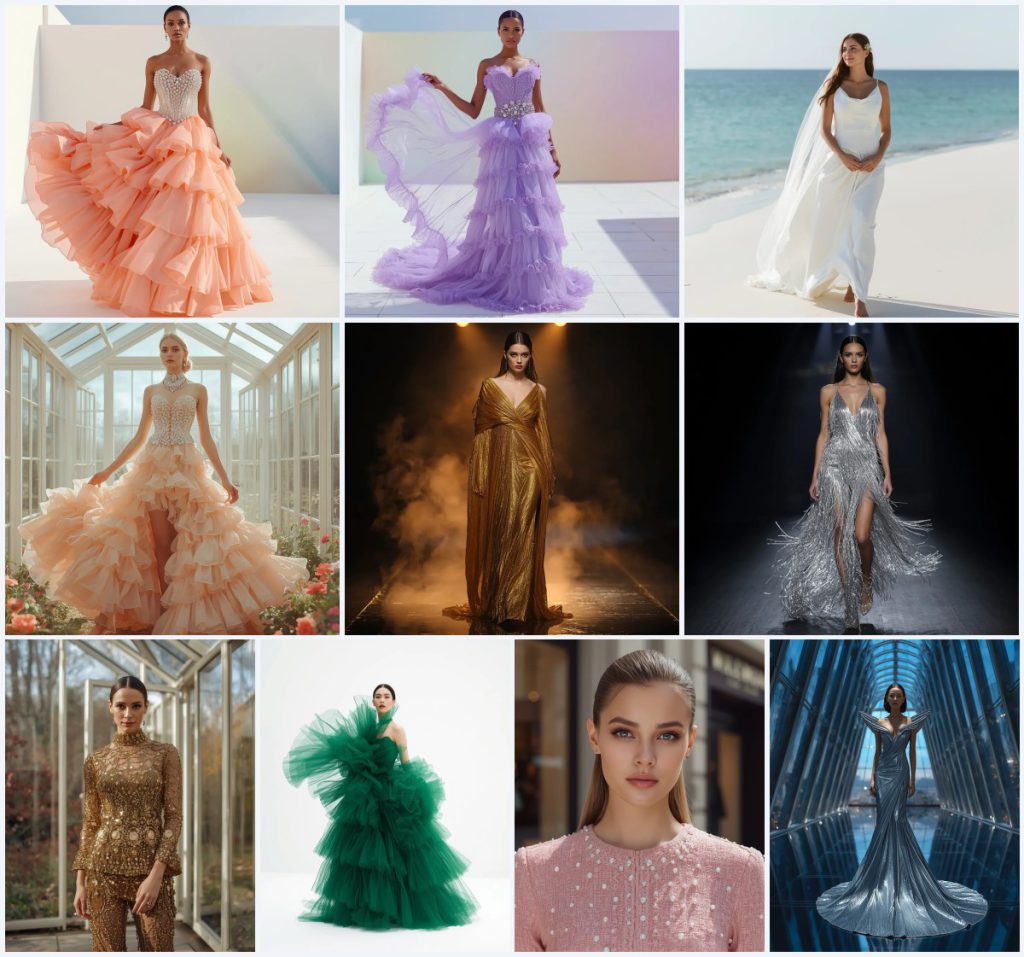
- A fashion model in a peach multi-tiered ruffle gown with a jewel-encrusted crystal corset bodice and diamond waist belt, tossing the skirt on a minimalist terrace.
- A model in a lavender ruffle dress with a sheer train, captured mid-toss against a pastel gradient wall.
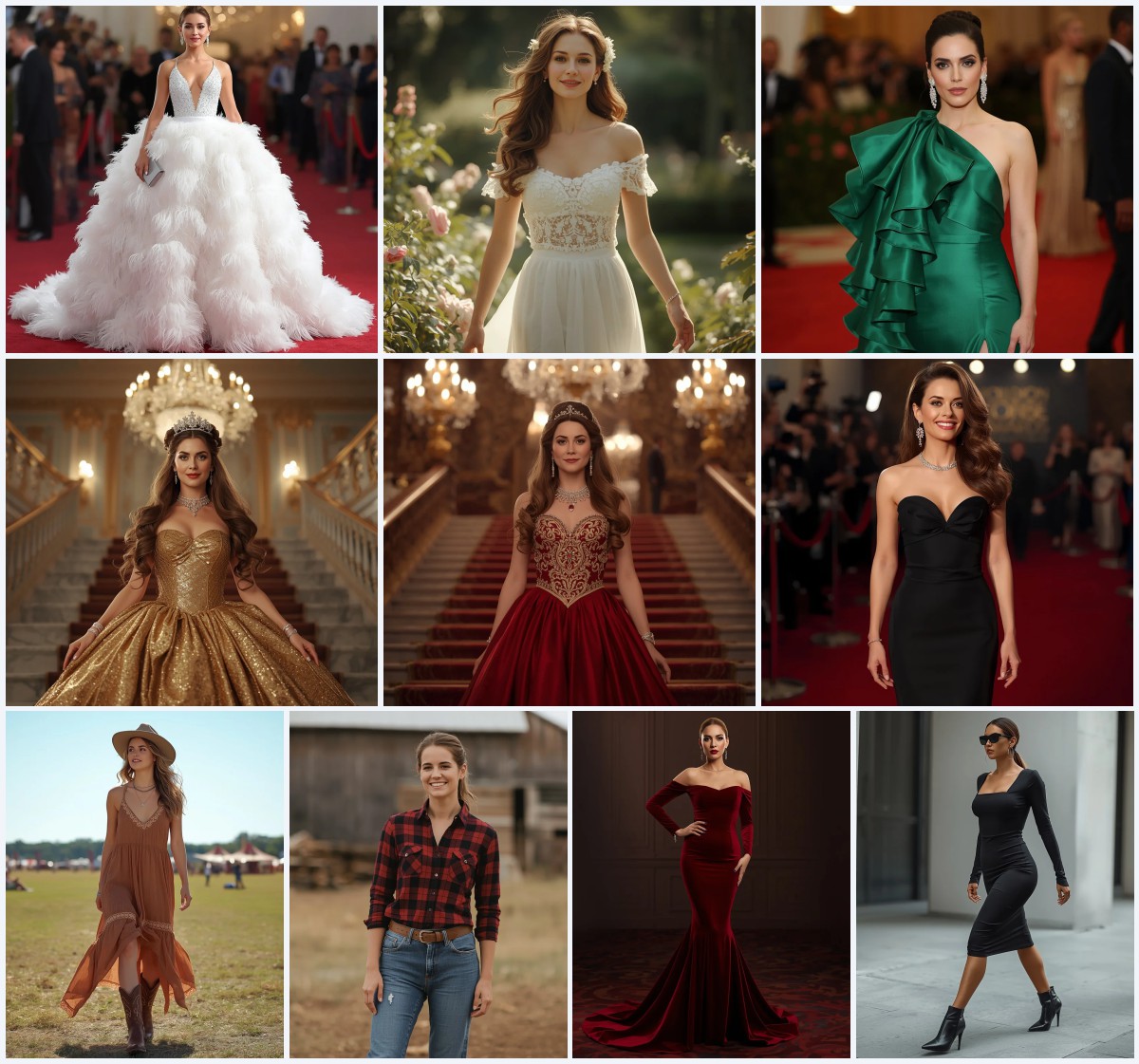
- A serene bride in a minimalist white silk gown with a cowl neckline, walking barefoot on a beach with a flowing veil.
- A model in a peach ruffle gown inside a glasshouse surrounded by pastel flowers, tossing the skirt lightly.
- An avant-garde metallic gold gown with liquid-like drapes on a dark, smoky runway.
- A silver metallic fringe dress in motion on a minimalist runway, creating a blur of light.
The visual world these prompts create
The scenes span a spectrum of modern luxury. One prompt places a model on "a bright, modern minimalist terrace with clean white flooring and a soft, multi-colored pastel gradient wall," while another situates a bride "walking barefoot along the pristine sand, her veil gently flowing behind her." These backdrops are intentionally uncluttered, directing focus onto the subject's attire and expression. Natural light often plays a key role, as seen in the glasshouse setting with "bright diffused natural sunlight and random multi-colored pastel flowers."
For more dramatic moods, prompts shift to controlled studio environments. A gold gown is showcased on "a dark, reflective runway with subtle smoke rising from the floor," and a futuristic silver dress appears in "a futuristic glass atrium with soaring geometric steel frames" against a "high-tech cityscape at dusk." Details like "the cold, ambient lighting of the atrium contrasts beautifully with the warm glow from the interior spotlights" add depth and cinematic tension, ensuring each image feels like a frame from a high-budget fashion film.
Why these prompts deliver standout results
These prompts are engineered for maximum visual impact by combining precise fashion terminology with cinematic photography cues. The consistent use of terms like "photorealistic," "85mm lens," and "8k resolution" guides AI toward high-end output, while dynamic poses and rich material descriptions prevent static or flat images. The variety across the collection ensures versatility, from soft bridal elegance to edgy avant-garde drama, all while maintaining a cohesive, premium quality.
- The prompts specify exact fabric textures, such as "heavy gold designer sequin dress completely covered in intricate beadwork," ensuring AI renders materials convincingly.
- Dynamic actions like "tossing the skirt of her gown lightly into the air" add movement and life, avoiding stiff, mannequin-like poses.
- Controlled lighting descriptions, from "bright diffused natural sunlight" to "high-intensity spotlights illuminating the shimmering fringes," create mood and depth.
Three distinct visual styles across the collection
The ten prompts naturally group into three visual styles, each offering a different flavor of high-fashion photography. The first style is soft, romantic editorial with pastel tones and airy settings, seen in the ruffle gowns and beach bride. The second is bold, dramatic runway with metallic fabrics and stark lighting, exemplified by the gold and silver dresses. The third is modern, architectural chic, where glasshouses and futuristic atriums frame the model in clean, geometric environments.
- Soft Pastel Romance: This style uses multi-tiered ruffles, pastel gradient walls, and diffused natural light to create dreamy, ethereal portraits perfect for bridal or spring fashion concepts.
- High-Contrast Runway Drama: Metallic gowns, dark reflective floors, and intense spotlights define this look, delivering powerful, editorial images with a fierce, couture attitude.
- Architectural Modern Chic: Glass atriums, clean steel frames, and cityscape backdrops pair with sleek dresses for a sophisticated, futuristic aesthetic that emphasizes structure and light.
How to generate these cinematic portraits step by step
Bringing these prompts to life is straightforward, but a few careful steps will maximize your results. Start by selecting the full text of one prompt from the collection and pasting it into your chosen AI image generator. For the best photorealistic output, consider uploading a reference photo of a pose or fabric texture that matches the described scene. After generating, always inspect the image closely for common AI glitches, especially in hands, facial features, and the intricate details of the jewelry or fabric.
- Copy the prompt. Select and copy the complete text of your chosen prompt, such as the one describing the peach ruffle gown on a minimalist terrace.
- Upload a reference image. If your tool allows, upload a photo of a similar pose, fabric, or lighting to guide the AI toward your desired look.
- Set generation parameters. Choose a 1:1 or 4:5 aspect ratio for portraits, and enable any 'photorealistic' or 'cinematic' presets your tool offers.
- Generate the image. Run the prompt and generate at least four variations to compare details like fabric texture and lighting accuracy.
- Check hands and face. Zoom in on hands and facial features; look for extra fingers, asymmetrical eyes, or unnatural skin textures.
- Inspect the main object. Examine the dress details—ruffles, sequins, or metallic fringe—to ensure they match the prompt's description without distortion.
Using a reference photo to enhance realism
A well-chosen reference photo can significantly improve the photorealism of your generated portrait. The reference should align with the prompt's core elements without needing to be an exact match. Focus on capturing the mood, pose, or material quality you want the AI to replicate.
- Select a photo with similar lighting to the prompt, such as soft diffused daylight for the glasshouse scene or dramatic spotlighting for the runway looks.
- Choose a pose that mirrors the described action, like a model mid-stride or gently lifting a skirt, to help the AI understand body mechanics.
- Include a fabric swatch or garment with comparable texture, like a sequined dress or flowing silk, to guide the rendering of intricate material details.
AI image generators suited for these prompts
Different AI tools handle photorealistic fashion prompts with varying degrees of success. The table below compares four popular options based on their accessibility, typical realism, and specific strengths for this collection. Each tool can produce stunning results, but some excel at rendering the intricate beadwork and fabric textures these prompts demand.
| Tool | Access | Typical realism | Useful here for |
|---|---|---|---|
| ChatGPT | Free tier available | Good with detailed text | Rendering the intricate beadwork and metallic embellishments on the gold sequin dress |
| Google Gemini | Free tier available | High with advanced models | Capturing the soft, diffused natural sunlight in the glasshouse autumn scene |
| Leonardo AI | Freemium with daily credits | Excellent with fine-tuning | Generating the ultra-realistic fabric textures of the lavender multi-tiered ruffle dress |
| Midjourney | Paid subscription | Industry-leading photorealism | Achieving the cinematic contrast and smoky atmosphere of the avant-garde metallic gold runway gown |
Three tips for perfecting these cinematic portraits
Small adjustments to your workflow can elevate the quality of your generated images from good to gallery-worthy. These tips focus on leveraging the specific materials and settings described in the prompts to guide the AI more effectively. Consistency in testing and refining will help you achieve that coveted DSLR-quality look.
- Emphasize the diamond waist belt in your negative prompt or by adding weight to that phrase; AI sometimes merges it with the crystal corset bodice, so reinforcing its distinct, heavy presence helps.
- Use a reference image of real multi-colored pastel flowers when generating the glasshouse scene to prevent the AI from creating generic, flat-colored blooms that lack depth.
- For the metallic fringe dress, increase the prompt's 'motion blur' aspect by adding terms like 'freeze-frame' or 'fast shutter speed' to ensure the silver fringes look dynamic, not smeared.
Common issues and quick fixes for these prompts
Even with detailed prompts, AI can misinterpret certain elements, leading to unrealistic or flawed images. The table below outlines four frequent problems you might encounter when generating these cinematic portraits and provides straightforward solutions. Adjusting your prompt or settings as suggested can quickly resolve these issues.
| Issue | What to change |
|---|---|
| The ruffle gown appears stiff or plastic-like | Add 'soft, flowing chiffon' or 'lightweight organza' to the prompt to reinforce natural fabric movement |
| Facial features are distorted or asymmetrical | Use a face restoration tool or add 'symmetrical, perfect facial features' and reduce the guidance scale slightly |
| The diamond waist belt looks painted on, not three-dimensional | Include 'thick, protruding diamond belt with sharp reflections' to emphasize its physical depth |
| The glasshouse background lacks transparency or depth | Add 'clear glass panels with visible outdoor scenery' and increase the 'depth of field' weight in your settings |
Frequently Asked Questions
Can I mix elements from different prompts in this collection?
Absolutely. You could combine the peach ruffle gown with the futuristic glass atrium background, or place the metallic fringe dress on the beach. Just ensure the lighting descriptions remain consistent to avoid a disjointed look.
Why does the AI sometimes ignore the '85mm lens' specification?
Some AI models interpret lens specs inconsistently. If the background isn't blurring as expected, add 'shallow depth of field, bokeh background' to reinforce the portrait photography effect.
How can I make the skin look more realistic in these portraits?
Add terms like 'luminous skin, subtle pores, natural skin texture' to your prompt. Using a reference photo with well-lit, unretouched skin also helps the AI avoid an overly airbrushed, plastic look.
Conclusion
This collection of ten cinematic portrait prompts offers a rich starting point for creating breathtaking, photorealistic fashion images. By understanding the scene details, leveraging the right tools, and applying targeted fixes, you can consistently produce images that rival professional DSLR photography. Whether you're crafting content for a mood board, social media, or pure creative exploration, these prompts deliver premium, global elegance with every generation.
Remember to only use a reference photo that you have the legal right to edit and incorporate into your AI-generated artwork.